Unleashing Your Potential Through Video Tutorials

Skip to Videos
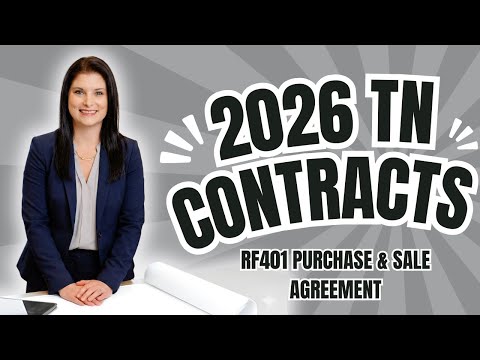
  • Understanding the RF401 Purchase & Sale Agreement | Tennessee REALTORS® Contracts Explained
    • 4/1/25

    Understanding the RF401 Purchase & Sale Agreement | Tennessee REALTORS® Contracts Explained

    Whether you're a homebuyer, seller, or real estate agent, this video breaks down the RF401 Purchase & Sale Agreement used in most Tennessee real estate transactions. I walk you through what the agreement actually says, how it functions with corresponding forms, and why understanding these documents is crucial to a smooth transaction.

    We also review:

    ✅ Key performance deadlines

    ✅ Required notices tied to those deadlines

    ✅ How this contract protects both buyers and sellers Whether you're new to real estate or need a refresher, this video will help you better navigate the paperwork that drives every successful transaction.

    Perfect for:

    • Tennessee homebuyers & sellers

    • New and experienced real estate agents

    • Anyone wanting to better understand the contract process

  • Buying a Home in Tennessee? You NEED to Know This Agreement
    • 5/4/25

    Buying a Home in Tennessee? You NEED to Know This Agreement

    Are you a homebuyer in Tennessee or a real estate agent helping clients navigate the buying process?

    In this video, I break down the RF141 Exclusive Buyer Representation Agreement, an issued form used by Tennessee REALTORS® to formalize the relationship between a buyer and their real estate agent.

    Whether you're a first-time homebuyer or a seasoned agent, you'll learn:

    1. What the RF141 form covers
    2. Your rights and obligations as a buyer or agent
    3. Common questions and misconceptions
    4. How this agreement protects all parties involved

    👉 Stay informed and confident in your next real estate transaction!

  • What is the RF101 Listing Agreement? | Tennessee REALTORS® Exclusive Right to Sell Form Explained
    • 4/19/25

    What is the RF101 Listing Agreement? | Tennessee REALTORS® Exclusive Right to Sell Form Explained

    In this video, we break down the RF101 - Exclusive Right to Sell, also known as the Listing Agreement, used by Tennessee REALTORS®. Whether you're a home seller, a real estate agent, or just curious about how listing agreements work, this video will give you the clarity you need. We’ll walk through what the agreement actually says, how it works with corresponding forms, and the mutual expectations it sets between the seller and the listing broker.

    Topics include:
    ✅ Property pricing & advertising
    ✅ Performance deadlines
    ✅ Required disclosures
    ✅ Agency relationships
    ✅ What you’re really committing to as a seller or agent

    Designed for both consumers and real estate professionals, this is your go-to guide for understanding one of the most important documents in a real estate transaction in Tennessee.

  • Transaction Desk: #1 Navigation

    Transaction Desk: #1 Navigation

    Navigate the agent dashboard and customize your settings in Transaction Desk.

  • Transaction Desk Basic #2 Create a Transaction

    Transaction Desk Basic #2 Create a Transaction

    Learn how to create a transaction manually or automatically populate fields using MLS listings. We will also cover how to manage contacts, and duplicate transactions.

  • Transaction Desk Basic #3 Checklist & Tasks

    Transaction Desk Basic #3 Checklist & Tasks

    Checklists are a great way to stay organized and save time in managing transactions. I will show you how to create checklist templates for your firm, add checklist items, set due dates, assign tasks, and attach documents.

  • Transaction Desk: Allowing Editing of Forms

    Transaction Desk: Allowing Editing of Forms

    In this video, I will guide you through the process of allowing editing of forms by a consumer in Transaction Desk. I will also show you how to send the form to the consumer in Transaction Desk with the "Allow Editing of Form" option selected. I will also walk you through the steps to setting this preference as a default in your settings. By the end of the video, you will be able to effectively send forms to the consumer to be completed on their devices and saved in the transaction.

  • Transaction Desk Advanced: Templates

    Transaction Desk Advanced: Templates

    In this video, I will guide you through the process of creating transaction templates in Transaction Desk. I will explain how a broker with super user access or a single agent can create and share templates. I will also show you how to add checklists, contacts, documents, and forms to your templates, and how to customize them based on the type of transaction. By the end of the video, you will have a clear understanding of how to create transaction templates and utilize them effectively.

  • Transaction Desk Advanced: Clauses

    Transaction Desk Advanced: Clauses

    In this video, I will guide you through the process of adding clauses in Transaction Desk. I'll explain the importance of checking with your broker and having the brokerage attorney review the clauses. We'll explore the different types of clauses available, such as personal, office, and system clauses. I'll show you how to search for specific clauses and how to create your own personal clauses. Finally, I'll demonstrate how to add clauses to your forms and provide some tips for using them effectively. Watch this video to learn how to enhance your workflow and ensure compliance with clause usage.

  • Transaction Desk: Authentisign Layouts

    Transaction Desk: Authentisign Layouts

    In this video, I demonstrate how to efficiently set up and apply layouts in AuthentiSign to save time and streamline the signing process. By creating layouts, you can easily apply predefined settings to multiple signings, eliminating the need to manually set up each field and markup. I walk you through the steps of creating layouts, mapping signatures to specific documents, and customizing layouts for different signers. Watch this video to learn how to optimize your workflow and improve efficiency in using AuthentiSign.

  • Transaction Desk: Slice & Merge

    Transaction Desk: Slice & Merge

    In this video, I will guide you through the process of slicing and merging forms and documents using Transaction Desk & Authentisign. These tools are a great way to manage transactions more efficiently by only sending the needed documents to the other parties involved. By the end of this video, you will have a clear understanding of how to effectively use the slice and merge buttons in Transaction Desk, and the delete pages feature in Authentisign. Get ready to streamline your workflow and stay on top of your transactions!